Best Seller Icon Bestseller
0 students

CERTIFICATE IN COMPUTER APPLICATION

  • Last updated Dec, 2025
  • Certified Course
  • Duration6 Months
  • Enrolled0
  • Lectures100
  • Videos0
  • Notes0
  • CertificateYes

What you'll learn

Course Description

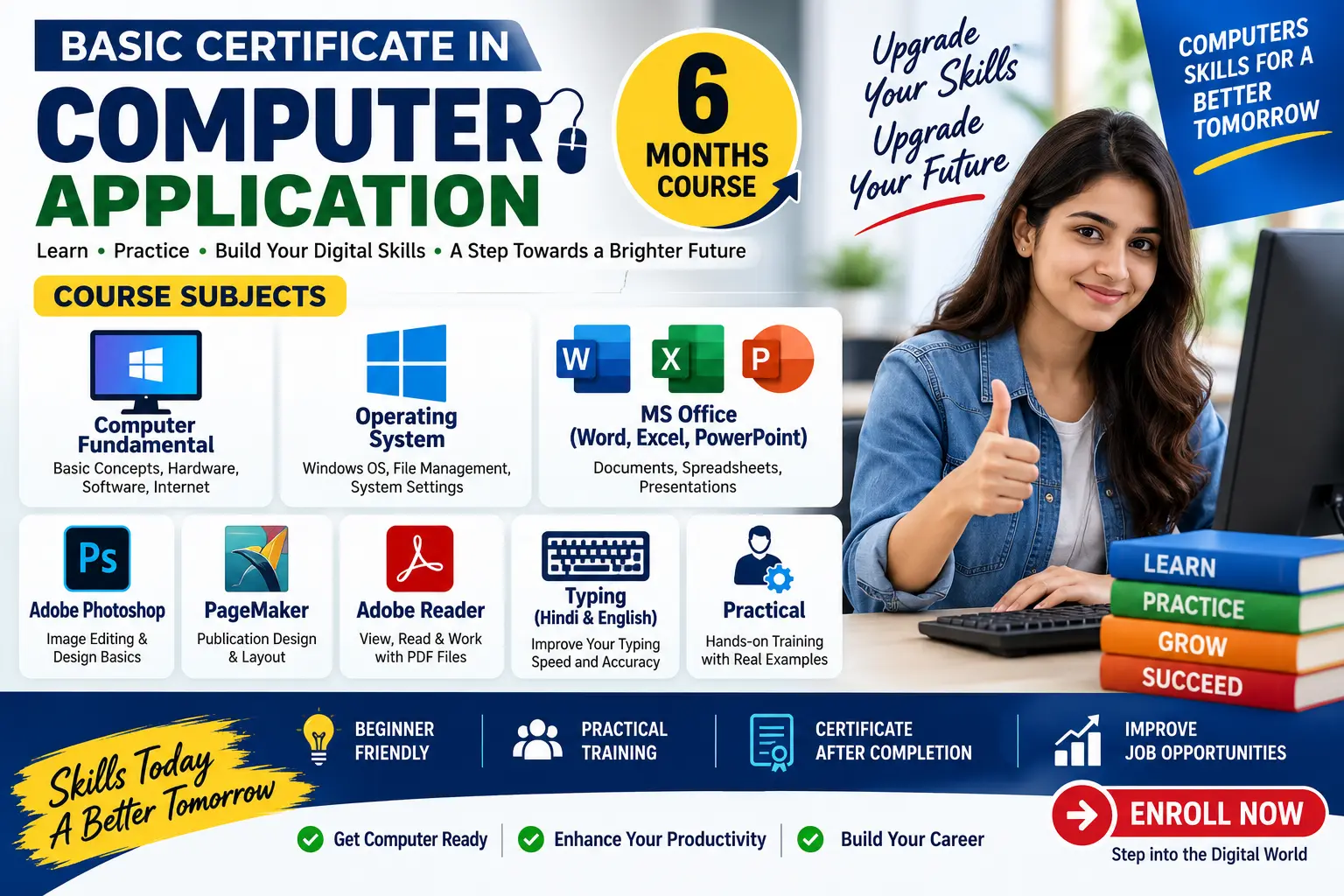
The Certificate in Computer Application (CCA) program is a comprehensive course designed to provide essential computer skills required in today’s digital world. The course covers fundamentals of computers, operating systems, office applications, web design basics, multimedia tools, and PC hardware maintenance.

This program is ideal for students, beginners, office professionals, and anyone looking to build a strong foundation in IT skills for jobs in offices, computer centers, institutes, and business environments.

Through practical training and real-world assignments, learners gain hands-on experience in MS Office, web designing, photo & video editing, and computer hardware troubleshooting.


Course Highlights

  • Complete basics of computers & IT
  • Training on Windows, Linux, and DOS
  • Full MS Office automation (Word, Excel, PowerPoint)
  • Introduction to web designing (HTML, CSS, JavaScript)
  • Multimedia tools: Photoshop, Premiere, InDesign
  • PC assembly, troubleshooting & maintenance
  • 100% practical-oriented training
  • Suitable for beginners and job seekers


Career Opportunities After Course

  • Computer Operator
  • Office Assistant
  • Data Entry Operator
  • Web Design Assistant
  • Photoshop / Video Editing Assistant
  • Hardware Support Technician
  • Computer Instructor (Basic Level)


Show More

Course Syllabus

1. Fundamentals of Computer & Information Technology

Topics Covered:

  • Basics of Computer: Hardware & Software
  • Types of Computers & Applications
  • Input / Output Devices
  • Memory & Storage Concepts
  • Number System (Binary, Decimal)
  • Networking Basics (LAN, WAN, Internet)
  • Email, Web Browsers & Online Tools
  • Cyber Security Awareness

2. Operating Systems (DOS, Windows, Linux)

Topics Covered:

  • Introduction to Operating Systems
  • DOS Commands (internal & external)
  • Windows Interface, File Management, Control Panel
  • User Account Management
  • Linux Basics & Terminal Commands
  • Installing / Configuring OS
  • System Settings & Troubleshooting

3. Office Automation (Word, Excel, PowerPoint)

Microsoft Word

  • Document Creation & Formatting
  • Tables, Columns, Styles, Templates
  • Page Setup, Printing, Mail Merge

Microsoft Excel

  • Cells, Rows, Formulas & Functions
  • Charts & Graphs
  • Data Sorting & Filtering
  • Basic Accounting Sheets
  • Pivot Tables (Intro)

Microsoft PowerPoint

  • Slide Creation & Themes
  • Animations & Transitions
  • SmartArt & Multimedia
  • Final Presentation Export

4. Web Design (HTML, CSS, XML, JavaScript)

Topics Covered:

  • Basics of Websites & Internet
  • HTML Tags, Forms, Tables, Images
  • CSS Styling & Layouts
  • Intro to Responsive Design
  • Basic JavaScript Events & Validation
  • XML Concepts
  • Mini Web Page Project

5. Multimedia (Photoshop, Premiere, InDesign)

Adobe Photoshop

  • Image Editing Tools
  • Layers, Filters, Retouching
  • Social Media & Banner Design

Adobe Premiere

  • Video Editing Basics
  • Audio, Effects & Transitions
  • Exporting Videos

Adobe InDesign

  • Page Layout Design
  • Magazine & Brochure Setup
  • Print-Ready Files

6. PC Assembly & Maintenance

Topics Covered:

  • Computer Components (CPU, RAM, HDD, SMPS, Motherboard)
  • Assembling & Disassembling PC
  • BIOS/UEFI Setup
  • Installing OS & Drivers
  • Basic Troubleshooting
  • Maintenance Tips & Virus Removal
  • Backup & Data Protection


Course Fees

Course Fees
:
₹7999/-
Discounted Fees
:
₹ 5999/-
Course Duration
:
6 Months

Review

0.0
Course Rating (0 reviews)
0%
0%
0%
0%
0%